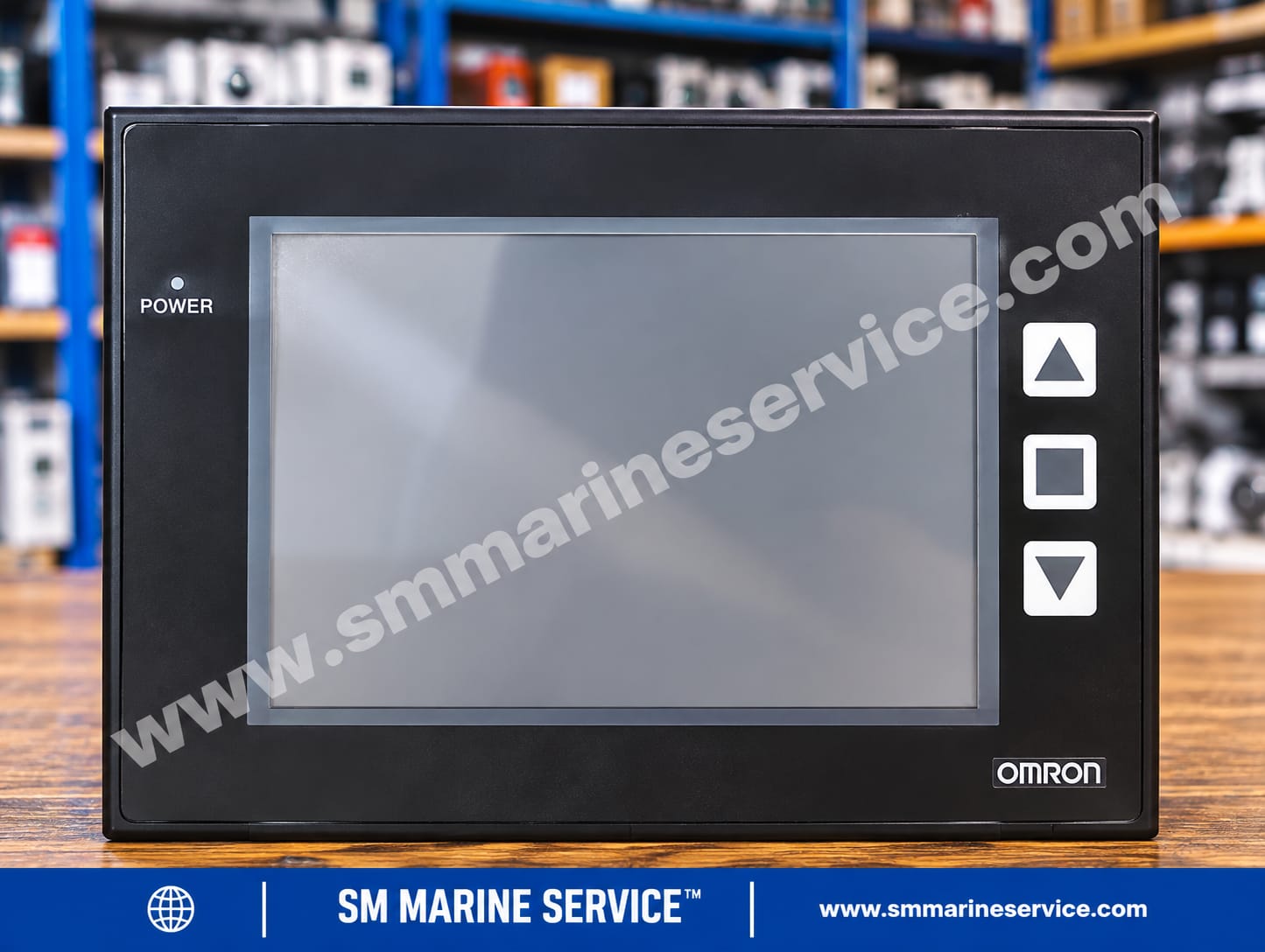
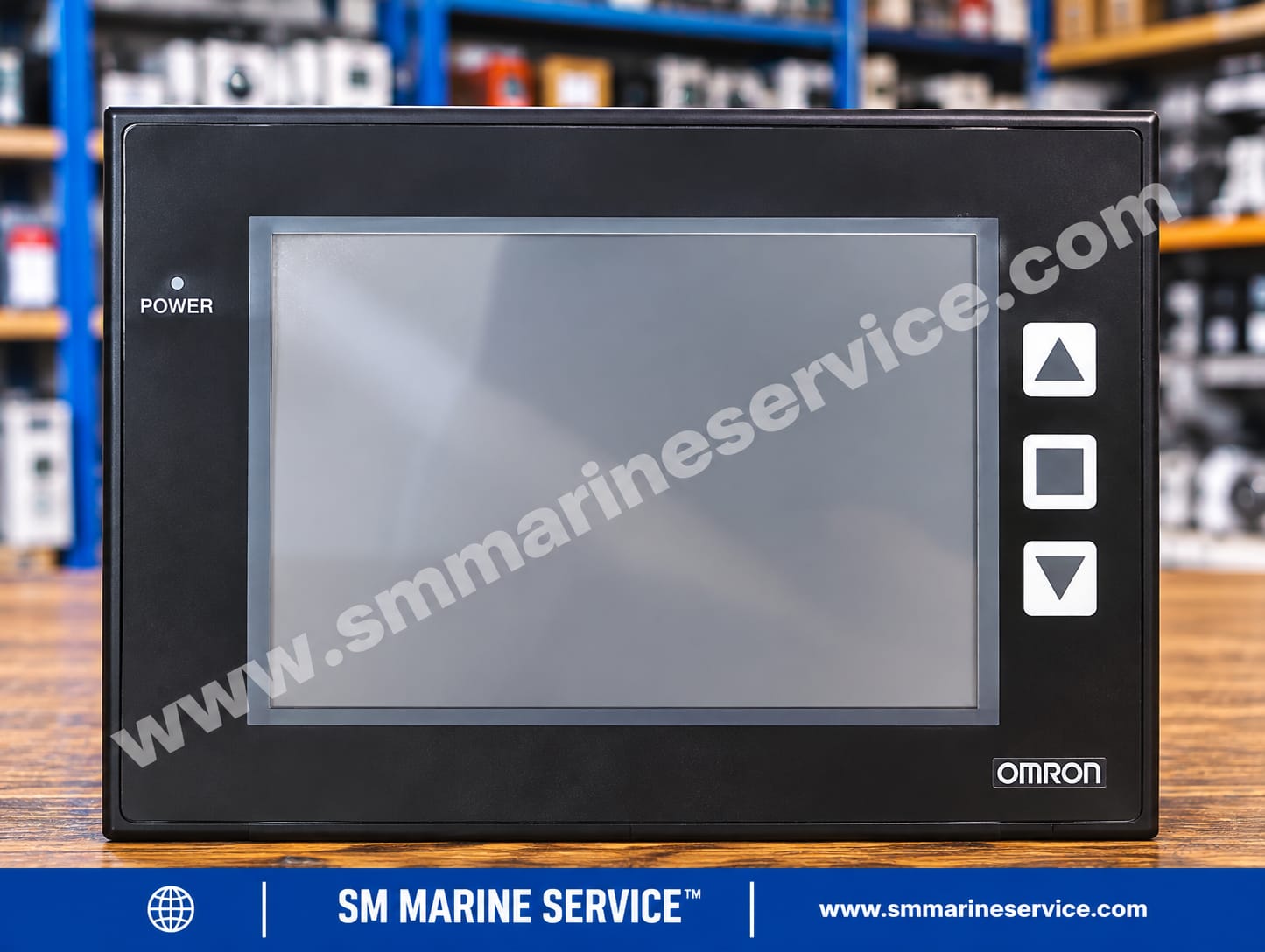
Omron NP5-MQ000B HMI
Omron
New product
| Specification | Details |
|---|---|
| Manufacturer | OMRON Corporation |
| Model | NP5-MQ000B |
| Product Type | HMI Programmable Terminal / Interactive Display |
| Product Family | Omron NP Series |
| Display | 5.7-inch monochrome FSTN LCD |
| Resolution | 320 × 240 pixels |
| Touch Technology | Analog resistive |
| Power Supply | 24 VDC |
| Rated Input | +24 VDC, 480 mA, according to supplied label |
| Minimum Supply Capacity | 12 W |
| Communication | RS-232C, RS-422A/485, USB |
| Programming Software | Omron NP-Designer |
| Country of Manufacture | Taiwan, according to supplied label |
| Serial Number | NP050002T1400042 |
| Condition | New, in original packing, according to supplied information |
| Product Status | Obsolete / discontinued |
Identification note: The serial number identifies the individual unit and is not a replacement part number. Confirm the label and hardware revision before ordering.
The Omron NP5-MQ000B Interactive Display is a compact 5.7-inch human-machine interface (HMI) used to display machine information and allow operators to interact with compatible automation systems.
It provides programmed screens, equipment status information and operator inputs through a resistive touchscreen and front function keys. In marine applications, it may serve as an interface in engine-room control cabinets, auxiliary machinery packages, temperature-control systems and other compatible shipboard automation equipment.
The supplied unit is described as new and in its original packing. Because the model is obsolete, it may be valuable to operators and maintenance teams seeking an exact replacement for an existing installation.
The NP5-MQ000B is an Omron NP-series programmable terminal that communicates with a host controller through supported interfaces and configured communication protocols.
It provides the operator interface rather than independently performing all PLC control functions. Its screens and displayed data depend on the programmed application, connected controller and communication settings.
Marine suitability and system compatibility must be confirmed for the actual installation.
5.7-inch monochrome FSTN LCD.
320 × 240-pixel resolution.
Analog resistive touchscreen.
Three front function keys.
Dedicated power indicator.
24 VDC power input.
USB Slave port for programming.
USB Host port for supported peripherals.
COM1 RS-232C serial interface.
COM2 RS-422A/485 terminal-block interface.
Rear slide switch and DIP switch.
Backup battery compartment.
NP-Designer programming software support.
| Parameter | Specification |
|---|---|
| Display area | 121.4 × 92.6 mm |
| Supply voltage | 24 VDC |
| Permitted voltage range | 21.6–27.6 VDC |
| Minimum supply capacity | 12 W |
| COM1 connector | 9-pin D-sub, RS-232C |
| COM1 auxiliary output | 5 VDC, maximum 250 mA on the specified pin |
| COM2 | RS-422A/485 |
| USB Slave | Type-B |
| USB Host | Type-A |
| Operating temperature | 0–50°C |
| Front protection | IP65 when correctly panel-mounted, according to product specifications |
| Approximate dimensions | 184.1 mm W × 144.1 mm H |
| Status | Obsolete |
Confirm mounting cut-out, installation depth, wiring and connector assignments against the applicable hardware revision. IP65 front protection depends on correct installation and gasket condition.
| Component | Function |
|---|---|
| LCD display | Shows programmed screens and process information |
| Touchscreen | Accepts operator selections and entries |
| Function keys | Provide additional operator inputs |
| Power indicator | Indicates power status |
| USB ports | Support programming and compatible peripherals |
| COM1 | RS-232C communication |
| COM2 | RS-422A/485 communication |
| SW1 slide switch | Supports access to the System Menu, according to the manual |
| SW2 DIP switch | Configures supported serial-interface settings |
| DC terminals | Connect the 24 VDC supply |
| Backup battery compartment | Holds the specified backup battery |
Internal PCB numbers have not been verified. The model and serial numbers should not be presented as PCB part numbers.
The NP5-MQ000B may be used in compatible:
Ship engine-room machinery panels.
Marine automation and monitoring cabinets.
Pump and auxiliary machinery control packages.
Temperature-control systems.
Industrial PLC operator stations.
Process equipment and machinery displays.
Existing Omron NP-series installations requiring replacement equipment.
Actual functions depend on the installed application and host controller.
| Symptom | Initial checks |
|---|---|
| No power indicator | Check the 24 VDC supply, polarity and terminal connections. |
| Blank screen | Check the supply, display and backlight condition. |
| Dim display | Inspect display condition and possible aging. |
| Touchscreen inaccurate | Inspect the surface and perform the prescribed calibration. |
| Touchscreen unresponsive | Check physical damage and touch operation. |
| Missing or incorrect data | Verify the controller, screen project and communication settings. |
| PLC communication failure | Check the COM port, wiring, protocol and communication parameters. |
| USB programming failure | Check the cable, computer connection and software compatibility. |
| Intermittent operation | Investigate supply stability, wiring, grounding and electrical noise. |
| Incorrect screens | Verify the correct application project and configuration. |
Record the displayed condition before resetting the equipment.
Confirm the supply voltage and polarity.
Disconnect power before working on wiring or connectors.
Back up the application project and settings before replacement or initialization.
Check communications and screen operation after maintenance.
Use qualified personnel for electrical work and commissioning.
Touch calibration may be required over time. Removing the backup battery can also cause stored data loss, so follow the applicable manual before battery replacement.
Clean the display with a suitable soft cloth.
Avoid cleaning agents prohibited by the manufacturer.
Inspect the mounting gasket and enclosure.
Check terminals, cables and connectors during authorized maintenance.
Maintain a stable 24 VDC supply.
Protect the equipment from condensation, corrosion and excessive vibration.
Back up screen projects and configuration files.
Check touchscreen accuracy periodically.
Record model, serial number and maintenance history.
The Omron NP5-MQ000B is obsolete, so availability depends on remaining stock and component condition.
SM MARINE SERVICE™ can assist with sourcing enquiries for:
Complete NP5-MQ000B HMI units.
Compatible replacement displays.
Touchscreen and display assemblies, subject to availability.
Verified internal PCBs and electronic assemblies.
Power-input components.
USB and serial connection accessories.
Related Omron NP-series programmable terminals.
New, used, refurbished, reconditioned and tested working equipment may be available depending on sourcing results.
Replacement warning: NP5-MQ000, NP5-MQ001B, NP5-SQ000B, NP5-SQ001B and NP3-MQ000B are related models, but they are not automatically interchangeable. Verify display type, mounting, interfaces, wiring and application compatibility before ordering.
For a quotation, provide the model, serial number, equipment photographs, required quantity, destination country and preferred condition.
Older HMIs may remain in service because they are integrated into established machinery and control systems. An alternative display may require new screen development, wiring modifications, communication changes and commissioning.
An exact replacement can reduce retrofit work when the original configuration can be preserved. Always verify compatibility and test the complete system after replacement.
It is a 5.7-inch monochrome touchscreen HMI programmable terminal for compatible automation systems.
It is manufactured by OMRON Corporation.
The model is obsolete. Remaining stock and replacement availability must be confirmed.
Contact SM MARINE SERVICE™ to enquire about sourcing and worldwide shipping.
Availability depends on the component. Complete units and verified replacement parts can be investigated.
New old stock, used, refurbished, reconditioned and tested units may be available, subject to verification and stock.
The NP-series uses Omron NP-Designer. Confirm software and computer compatibility before transferring application data.
The specified input is 24 VDC, with an allowable range of 21.6–27.6 VDC and a minimum 12 W supply capacity.
A replacement must match the mounting, display, electrical interfaces, communications and application requirements. A newer HMI may require engineering modifications.
Request the applicable Omron NP-series programmable-terminal documentation through SM MARINE SERVICE™. Confirm that the manual matches the installed hardware revision.
SM MARINE SERVICE™ accepts international sourcing enquiries and can assist with shipping arrangements, subject to availability.
The Omron NP5-MQ000B is a 5.7-inch monochrome HMI programmable terminal featuring a resistive touchscreen, 320 × 240 resolution, 24 VDC power input, USB ports and RS-232C/RS-422A/485 communications. This obsolete Omron NP-series display may be required as a replacement spare for existing marine and industrial automation systems. Contact SM MARINE SERVICE™ for equipment sourcing, replacement enquiries and worldwide shipping options.
Omron NP-Series Programmable Terminal and NP-Designer User's Manual
The relevant NP-series manual covers model specifications, installation, wiring, serial communications, USB connections, System Menu functions, programming and maintenance.
Request the applicable manual through SM MARINE SERVICE™. A separate model-specific service manual or verified direct datasheet has not been established for this article. Confirm the documentation revision before maintenance or installation.
SM MARINE SERVICE™
Marine Automation & Navigation Equipment Supplier
Available Condition:
• New Equipment • Used Equipment • Refurbished Equipment • Reconditioned Equipment
Stock Location:
• Bangladesh • China
Services:
• Worldwide Shipping • Technical Support • Spare Parts Supply • Marine Equipment Sourcing
Contact Information
SM MARINE SERVICE™ Samir Market, DT Road, Pahartali, beside CDA Market, Chattogram, Bangladesh
Mobile / WhatsApp / Viber: +88 01818 929292
Email: info@smmarineservice.com
Website: www.smmarineservice.com
0

BDT 0

BDT 0

BDT 0

BDT 0
Marine Equipment Supplier