Compressor Monitoring
YORK Marine Controls local panel HMI.
Refurbished
The product shown in your photos is a YORK Marine Controls local panel HMI, identified on the front as E 1041. From the screen content visible in the images, this unit is used as a local operator interface panel for YORK Marine air handling plant and compressor monitoring/control. It is a marine HVAC and refrigeration control display panel that allows crew or technicians to view system status, monitor compressor parameters, access plant screens, and check alarms from the local control station.
The two images clearly show that this unit is installed as part of a YORK Marine Controls system and is being used for:
From the visible screen text, the unit can be identified as a YORK Marine Controls local panel HMI / display terminal, likely used onboard vessels for air conditioning plant control, marine HVAC monitoring, compressor supervision, and alarm handling.
SM MARINE SERVICE™ supports shipowners, technical managers, marine HVAC engineers, ship repair workshops, and automation buyers looking for YORK Marine Controls HMI panels, local operator displays, air handling plant control spare parts, compressor monitoring panels, and replacement marine HVAC automation modules.
The first image shows the main operating screen of the YORK panel with the following visible information:
This confirms that the panel is part of a marine air handling plant control system and acts as a local control and monitoring interface.
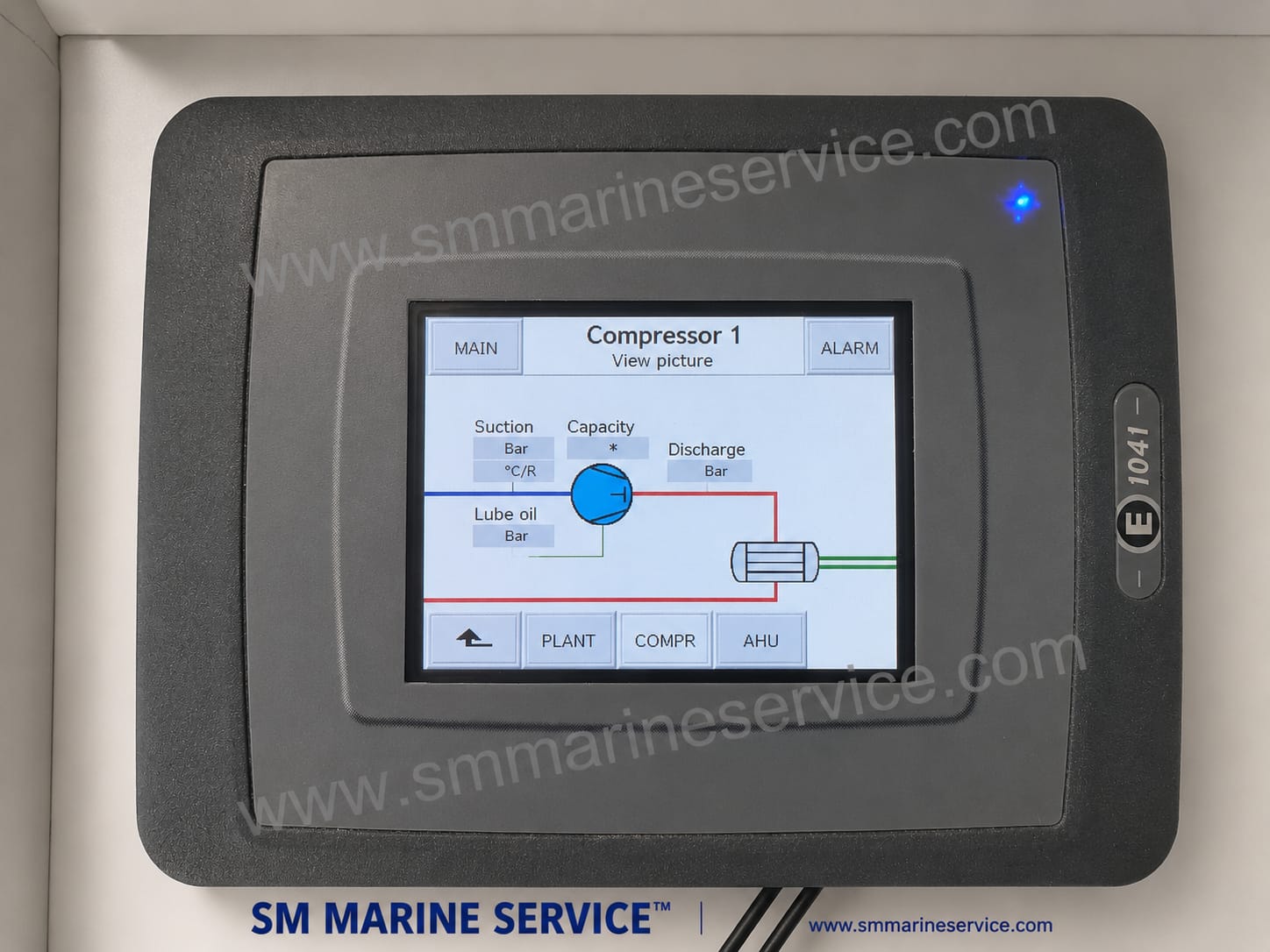
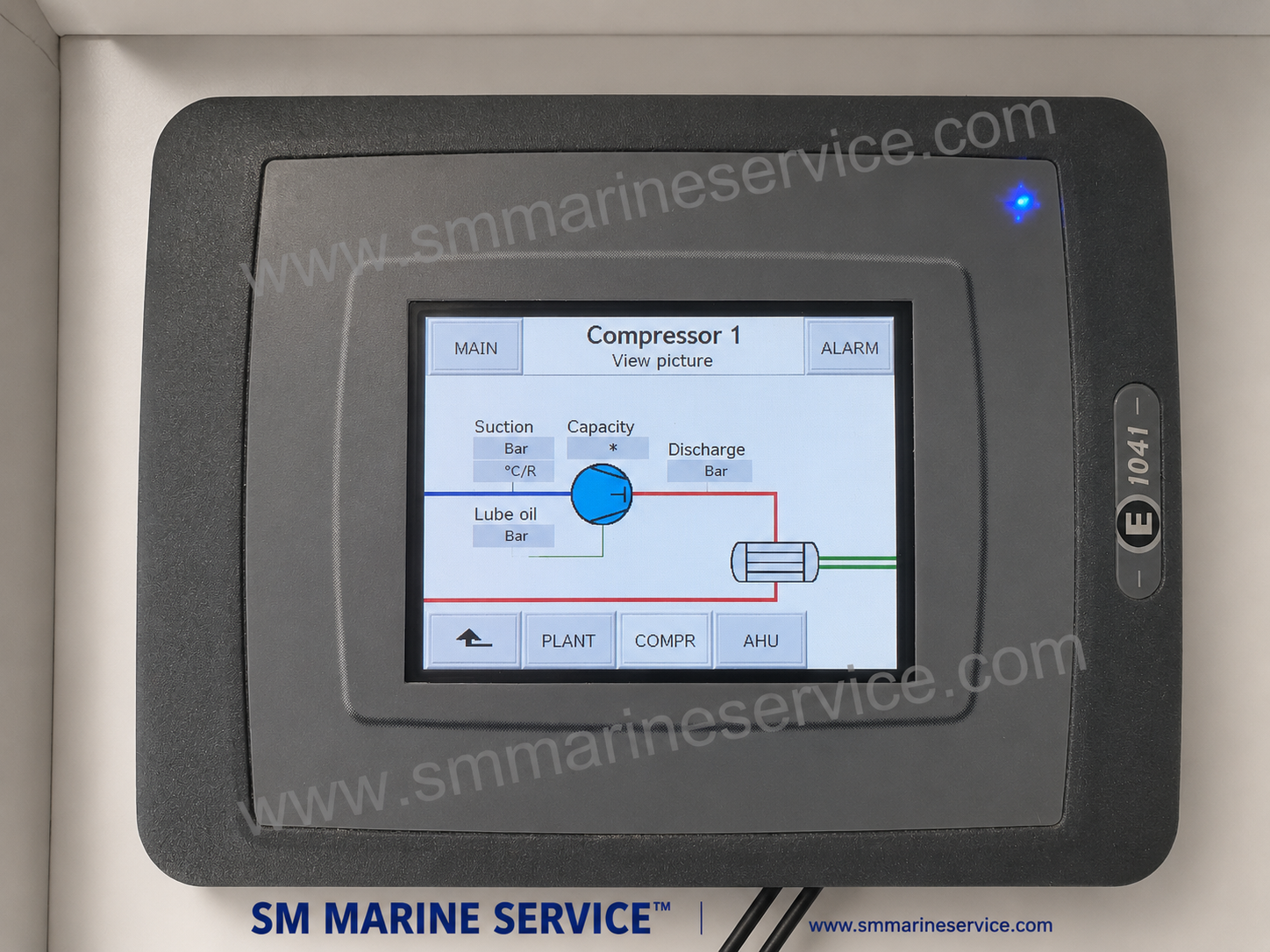
The second image shows a dedicated Compressor 1 process screen. On the display, the panel shows a simplified compressor circuit graphic and parameter fields such as:
This confirms that the YORK E 1041 panel is not just a generic screen—it is being used to monitor and navigate compressor operating conditions inside a marine HVAC or refrigeration plant control system.
The YORK Marine Controls E 1041 is a local operator interface panel (HMI) used for marine HVAC, air handling, and refrigeration control systems. Its role is to give onboard engineers and operators a simple screen-based interface for viewing plant status, navigating system pages, checking alarms, and observing compressor or air handling unit operating information.
In practical marine operation, a local HMI like this can serve as the control and monitoring window for:
Rather than reading raw signals directly from sensors, the operator uses the HMI to view the data processed by the underlying YORK Marine control system. The screen layout shown in your photos suggests that this panel is integrated with a YORK HVAC control package for shipboard climate control or refrigeration-related plant monitoring.
A marine HMI panel such as the YORK E 1041 is used to provide clear, local access to the HVAC/refrigeration control system. Its main functions typically include:
The panel lets engineers see the current condition of the HVAC or refrigeration plant without needing a laptop or direct controller connection.
As shown in your photo, the HMI provides a Compressor 1 view screen where operating values and compressor-related process information can be displayed.
The main screen clearly references Air handling plant, indicating that the panel is used to supervise ventilation / air handling sections of the YORK marine system.
The presence of an ALARM menu/button indicates that the HMI is also used to review active alarms or system warnings.
Buttons such as PLANT, COMPR1, AHU1, and TREND show that the operator can move between different functional areas of the control system.
This kind of HMI helps ship engineers maintain visibility over onboard climate control and cooling systems, especially in machinery spaces, accommodation HVAC systems, or control cabinets.
The E 1041 is a local operator panel with a graphical display used to show system pages, compressor diagrams, alarm menus, and plant overview screens.
Your photo clearly shows a Compressor 1 page with fields for:
This makes it useful for marine refrigeration and HVAC engineers who need a quick overview of compressor operating condition.
The main YORK screen references Air handling plant, indicating that the HMI is linked not only to compressor control but also to air handling / ventilation plant functions.
The ALARM key visible on the display suggests that the panel can display alarm conditions or allow navigation to alarm pages.
Visible buttons such as CONFIG, PLANT, COMPR1, AHU1, TREND, MAIN, and COMPR indicate a structured control interface for navigating different system areas.
The YORK Marine branding and plant screens strongly suggest use in marine HVAC, chiller, compressor, or refrigeration control systems rather than generic industrial automation alone.
The unit is built as a compact panel-mounted HMI suitable for marine control cabinets or local operator stations.
From the two photos, the following information can be identified directly:
YORK Marine Controls
E 1041
YORK Marine, Controls – Air handling plant
Compressor 1
ALARM
These screen details are extremely useful for identifying the panel’s role in the marine HVAC control system even when the rear nameplate is not visible.
Based on the screen content and typical YORK Marine system usage, this local panel HMI may be used in several shipboard applications.
The panel may act as the operator display for the ship’s central air conditioning or HVAC plant.
Since AHU1 appears on the screen, the panel is likely connected to one or more air handling units in the vessel’s climate control system.
The dedicated compressor page indicates that it is used to view compressor process conditions and status.
On some vessels, YORK control systems are used for marine cooling or chilled-water-based HVAC arrangements, and the HMI may provide access to those plant sections.
The panel may be installed in a machinery room, HVAC control cabinet, or technical room where local access to plant status is required.
YORK marine HVAC controls may be found on many vessel types requiring stable climate control, accommodation cooling, technical ventilation, or process cooling.
A local HMI is important because marine HVAC and refrigeration systems are not simple on/off systems. They involve compressors, air handling units, alarms, temperature control, and plant coordination. A dedicated operator interface makes these systems easier to monitor and maintain.
Engineers can immediately see whether the compressor and plant are running normally.
When an alarm occurs, the local panel often provides the first clue about which section of the plant has a problem.
If the vessel’s accommodation or technical spaces depend on proper climate control, quick access to the HMI helps maintain comfort and equipment protection.
During troubleshooting, testing, or parameter review, the local panel is often the most convenient point of access.
A single HMI can provide access to compressor, plant, AHU, and alarm pages in one place.
Like other marine HMI and HVAC control interfaces, the YORK E 1041 can develop faults related to display hardware, communication, power supply, or the connected HVAC control system.
The HMI does not start, or the screen remains black.
Possible causes:
If the panel is touch-operated or uses a touch interface, the screen may stop responding correctly. If it uses membrane navigation, those controls may also fail.
Possible causes:
The panel powers up but does not show live plant values or current status.
Possible causes:
The display may show a static screen that does not update.
Possible causes:
The panel may continuously show an alarm even after operators believe the system is normal.
Possible causes:
The LCD or backlight may become weak, partially unreadable, or damaged over time.
When a YORK Marine Controls local panel develops a problem, troubleshooting should be done with reference to the HVAC control system and the panel’s installed wiring arrangement.
Before assuming the HMI is faulty, confirm whether the underlying YORK plant is powered and operational.
Verify the power input to the panel and inspect fuses, terminals, and supply wiring.
If the panel powers up but does not show real data, inspect communication cables and controller status.
If the panel shows an alarm, use the HMI navigation to review the alarm page and identify whether the issue relates to compressor protection, sensor fault, pressure abnormality, or controller communication.
Move between PLANT, COMPR, and AHU screens to see whether all sections are missing data or only one part of the system is affected.
Check whether the display, bezel, or touch/navigation area has suffered moisture, impact, or aging-related failure.
If the HMI is healthy but the values are wrong, the problem may be in sensors, pressure transmitters, compressor controls, or the main YORK controller rather than the panel itself.
SM MARINE SERVICE™ can support marine buyers looking for YORK Marine Controls local panels, HMI replacement units, compressor control display modules, and HVAC automation spare parts.
To keep YORK Marine local panels in reliable service, the following practices are recommended:
Dust, oil, and moisture can reduce screen visibility and affect operation.
Loose or corroded connections are common causes of HMI communication problems.
When ordering a replacement or requesting support, record:
Whenever the ship’s air conditioning or refrigeration system is serviced, the local panel should also be checked for alarm history, display clarity, and communication performance.
Even rugged marine HMIs can fail if exposed to impact, water ingress, or careless dismantling.
Marine buyers may search this type of panel under several different names. For SEO and spare-parts traffic, the following terms are highly relevant.
It is used as a local HMI / operator panel for marine air handling plant, compressor monitoring, and HVAC control system supervision onboard ships.
From the photos, it appears to function primarily as a local operator display / HMI for viewing compressor and plant information. The main control logic may be handled by the underlying YORK control system.
Yes. The ALARM function is clearly visible on the screen, so the panel is used to view or access alarm information.
Based on the screen content, it can monitor:
Yes. If you provide clear photos, panel marking, screen pages, and vessel application details, SM MARINE SERVICE™ can assist with identification and supply support for YORK Marine Controls spare parts.
The YORK Marine Controls E 1041 Local Panel is a marine HVAC and compressor monitoring HMI used for local operation and supervision of air handling plants, compressor systems, and related shipboard climate control equipment. With dedicated pages for plant overview, compressor monitoring, AHU access, alarm indication, and trend navigation, it provides engineers with a practical local interface for YORK marine HVAC control systems installed onboard ships.
If you are looking for YORK Marine Controls E 1041, marine HVAC HMI panels, YORK compressor monitoring displays, air handling plant control interfaces, or marine refrigeration control spare parts, SM MARINE SERVICE™ can support your requirement.
We support customers with:
SM MARINE SERVICE™
Global Marine Equipment & Spare Parts Partner
Bangladesh Office:
Samir Market, DT Road, Pahartali, Beside CDA Market, Chattogram, Bangladesh
China Warehouse & Support Center:
Shanghai, China
Supply Scope:
Marine HVAC Control Systems / Marine Automation / Air Handling Plant Controls / Refrigeration & Compressor Monitoring / Navigation & Communication / Engine Room Spare Parts / New Equipment / Reconditioned Equipment / Sourcing / Repair / Calibration / Technical Support
Website: www.smmarineservice.com
Email: info@smmarineservice.com
WhatsApp: +8801818929292
Marketing Contact: Nazmul Hasan Bhuiyan
0
BDT 0
BDT 0
BDT 0
BDT 0
Marine Equipment Supplier